Artifacts
Artifacts are the files an agent produces in Agent Mode, such as spreadsheets, presentations or documents. They are kept per Space, so you find them again after the chat.
In the chat
Section titled “In the chat”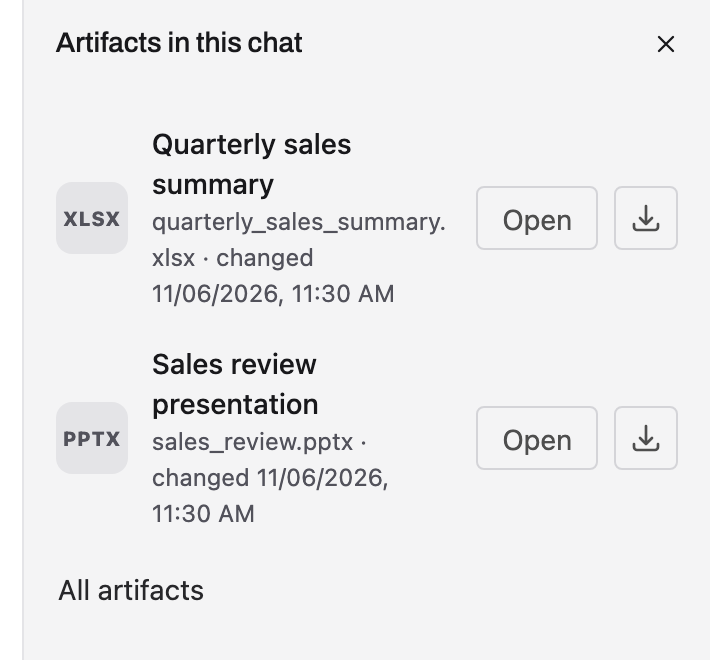
- Each file the agent delivers appears as a card under its answer, with Open and Download. A card marks a file that was deleted since.
- Artifacts in the chat header, with the number of files, opens a panel with all of the chat’s artifacts, including those from earlier sessions.
The Artifacts page
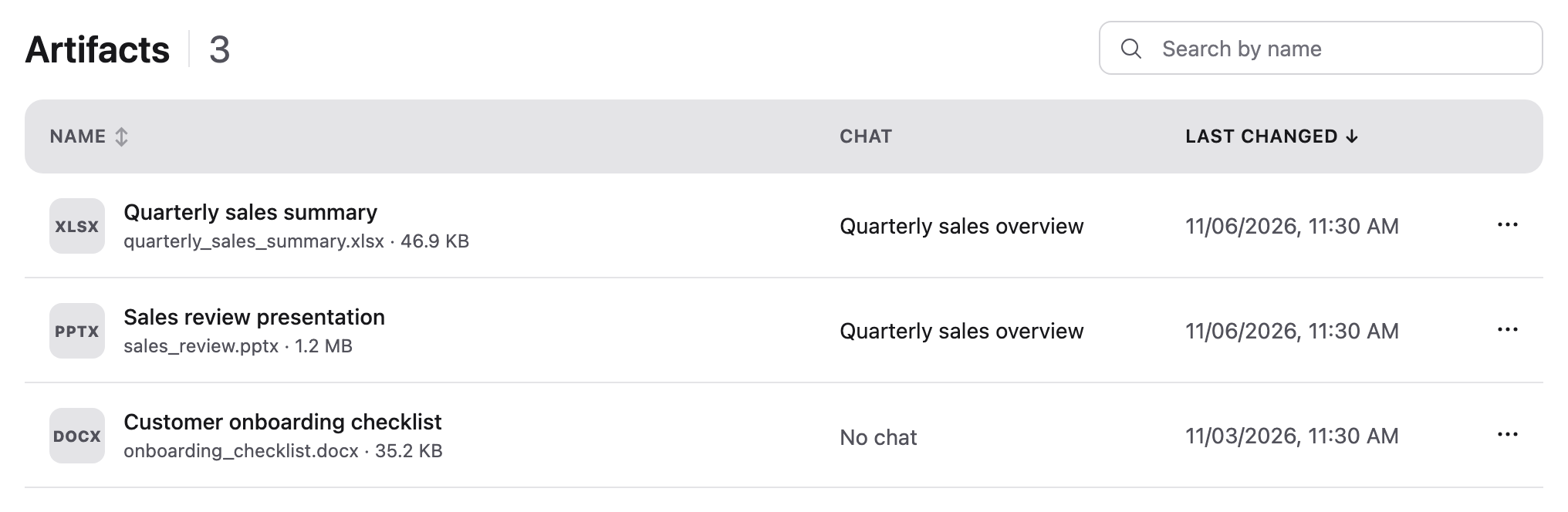
Section titled “The Artifacts page”Artifacts in the sidebar, below the Workspace, lists all artifacts of the active Space. Search by name, sort by any column, and click an artifact to open its page: its type and details, Download, and a link back to the chat that produced it.
Continuing to edit an artifact
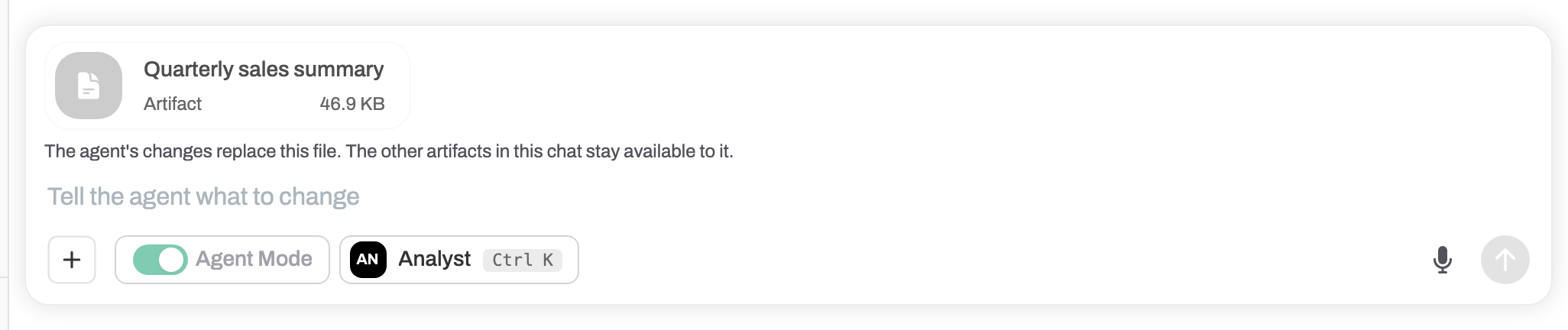
Section titled “Continuing to edit an artifact”Continue editing, in an artifact’s row menu or as the main button on its page, opens the chat the artifact came from, or a new chat if it has none. The artifact is shown above the message box. Ask for your changes there: an agent with a sandbox updates the file instead of making a second one.
Deleting artifacts
Section titled “Deleting artifacts”- Delete in an artifact’s row menu or on its page deletes it after a confirmation.
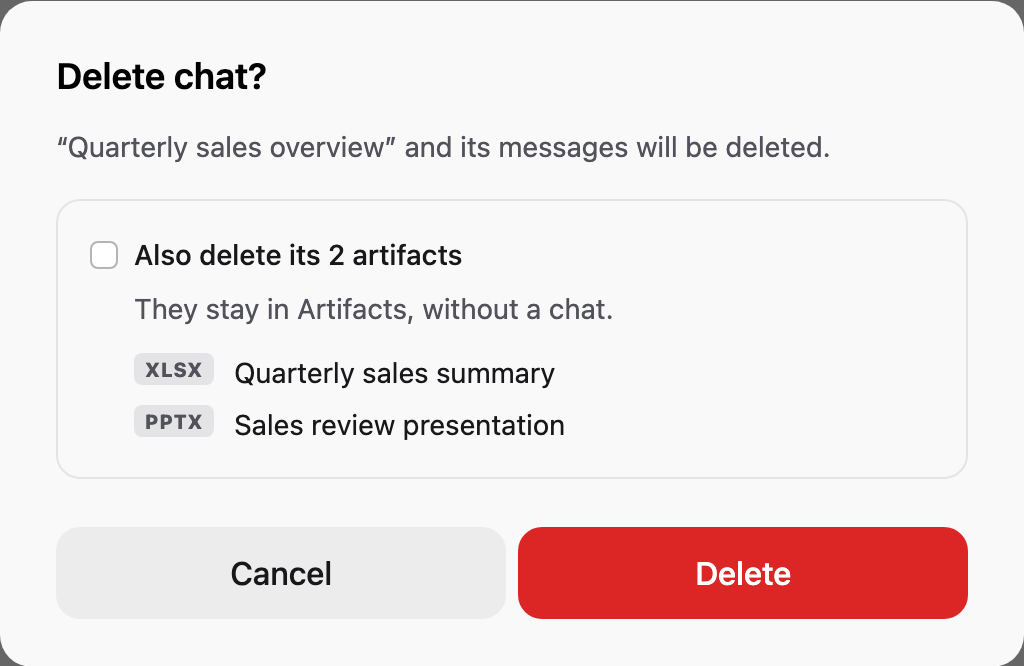
- When you delete a chat that has artifacts, the confirmation lists them and offers Also delete its artifacts. It is unchecked, so the artifacts stay on the Artifacts page unless you tick it.