
Setting Up a New Space
Application Owners create Spaces in Administration. The Space is fully configured when it is created: API key, models, confidentiality and its first Space Owners are all set in the same dialog.
Creating the Space
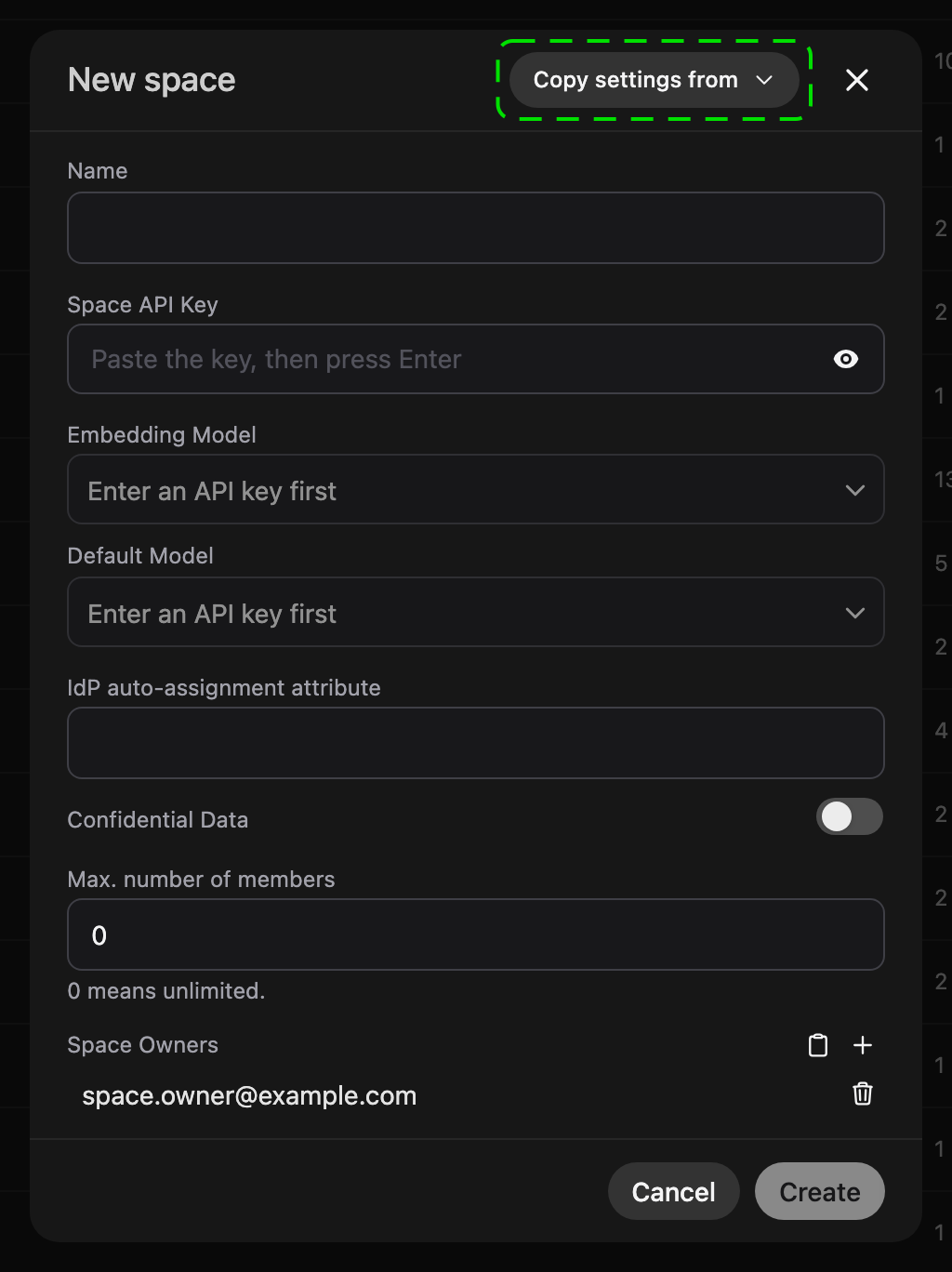
Section titled “Creating the Space”Open Administration → Application Owner → Spaces and click New space:
- Enter a Name. It must be unique on the instance.
- Paste the Space API Key obtained from the API Key Portal and press Enter. The model lists load once a key is entered.
- Pick the Embedding Model and the Default Model. The embedding model cannot be changed after the Space is created.
- Optionally enter an IdP auto-assignment attribute and switch on Confidential Data.
- Add at least one email under Space Owners.
- Click Create.
Copy settings from at the top of the dialog fills in everything except the name and the owners from an existing Space: API key, embedding model, default model, confidentiality and IdP attribute.
The new owners see the Space in their Space selector after their next login. From then on they manage its members and can connect content sources such as Confluence or an S3 bucket.