
Administration
Smartchat is administered directly in the app. The Administration area covers everything Application Owners and Space Owners need: Spaces and their owners, users and their roles, the settings of each Space (confidentiality, API key, models), and the data connections that feed content into a Space. Regular users do not see it.
Opening Administration
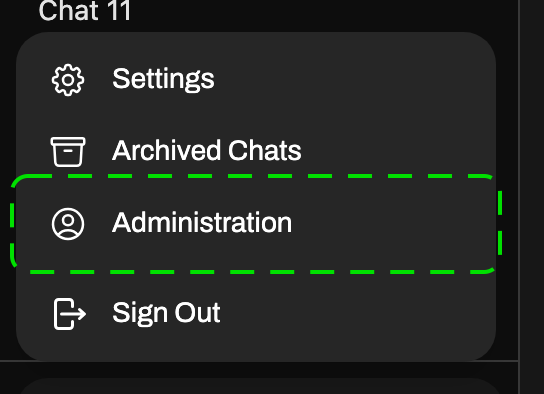
Section titled “Opening Administration”Click your profile image at the bottom left and choose Administration. The entry is only shown to Application Owners and Space Owners.
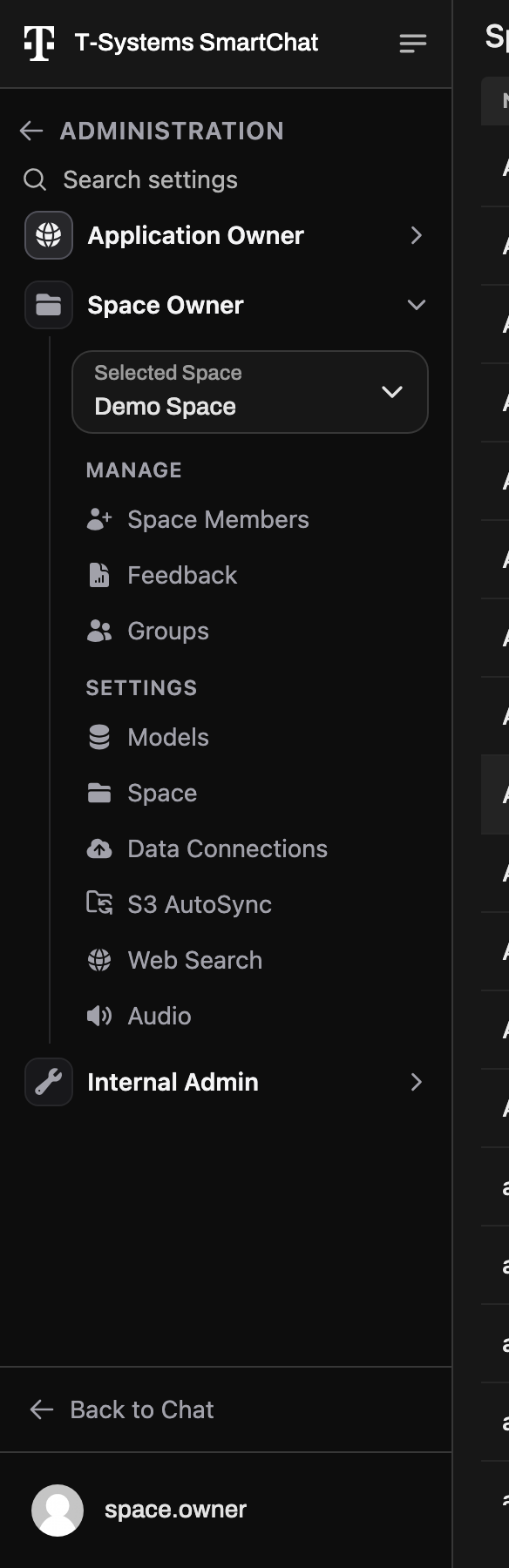
Administration opens with a navigation of its own on the left. It is divided into one section per role, and you only see the sections your role gives you:
| Section | For | What you do there |
|---|---|---|
| Application Owner | Application Owners | Manage all Spaces and users of the instance, and settings that apply to the whole instance (Interface, Code Execution). |
| Space Owner | Space Owners | Manage the members and groups of a Space, its settings, and its Confluence and S3 sources. |
Search settings at the top finds any page of Administration by name. Back to Chat returns to your chats.
Choosing the Space
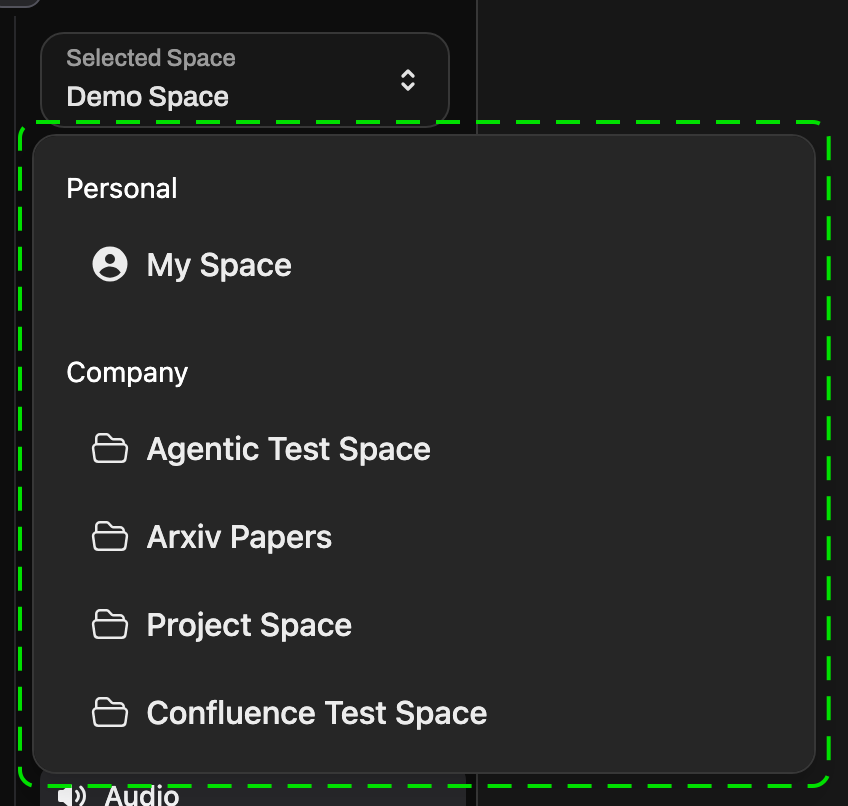
Section titled “Choosing the Space”Everything under Space Owner acts on one Space at a time. Pick it in the Selected Space picker at the top of the section. To administer another Space you own, switch it there.
The Space Owner section shows these pages:
| Group | Pages |
|---|---|
| Manage | Space Members, Groups |
| Settings | Models, Space, Data Connections, S3 AutoSync, Web Search |
Who has access
Section titled “Who has access”- Application Owner: sees the Application Owner section and can open the Space settings of the Spaces they belong to. Space Members is only shown for Spaces they also own: adding and removing members is reserved for Space Owners.
- Space Owner: sees the Space Owner section for every Space they own. Other Spaces cannot be administered.
For the full capability list see Roles and Roles & Permissions.