
Setting Up a New Space
Setting up a new space is a two-step process involving the Application Owner (who creates the space) and a Space Owner (who configures it).
1. Create the Space (Application Owner)
Section titled “1. Create the Space (Application Owner)”- Click “New Space” and provide a name.
- Navigate to the “Space Owners” tab and assign one or more Space Owners.
2. Configure the Space (Space Owner)
Section titled “2. Configure the Space (Space Owner)”Once assigned, the Space Owner navigates to the space’s Configuration page and sets:
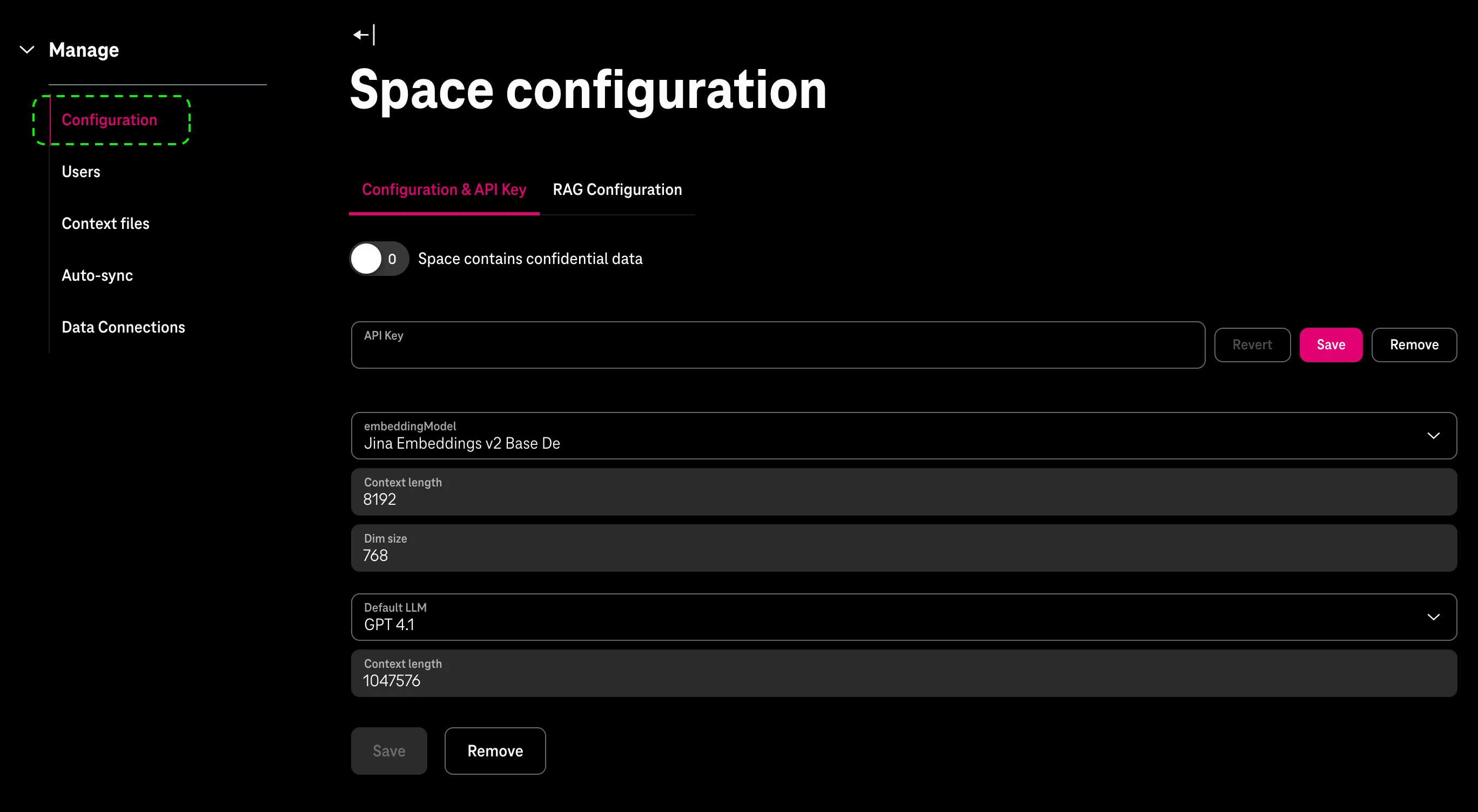
- Space contains confidential data — select yes or no.
- API Key — obtain one from the API Key Portal and enter it here.
- Embedding Model — select an embedding model.
- Default LLM — select a default language model.